ChatGPT for Excel — The Junior Analyst Who Never Sleeps
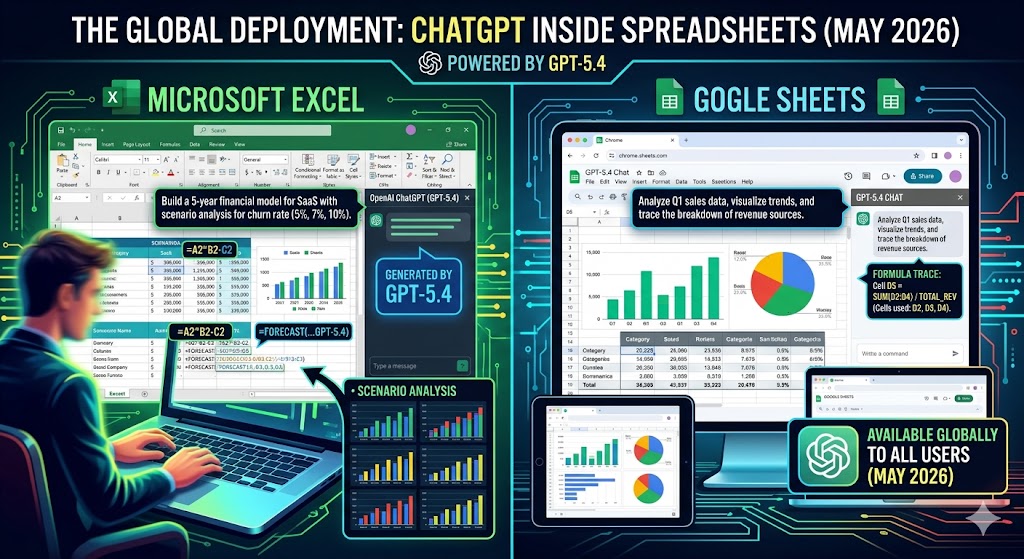
OpenAI has embedded ChatGPT directly inside Excel and Google Sheets, powered by GPT-5.4. Plain-language commands now build financial models, run scenarios, and trace formulas — and as of May 2026, it's available globally to all users.
The Problem No Formula Can Fix
Analysts spend roughly 40% of their time on data gathering and formatting — not on the thinking and judgment that actually justify their role. Excel is the lingua franca of finance, and yet most of the time spent in it is purely mechanical: writing VLOOKUPs, formatting tables, building the same model structures over and over. ChatGPT for Excel is OpenAI's answer to that problem.
ChatGPT for Excel is an add-in that embeds ChatGPT directly into workbooks, powered by GPT-5.4 — OpenAI's most advanced model for financial reasoning. Users describe what they need in plain language, and the AI builds or updates live Excel models directly inside the workbook, preserving structure, formulas, and assumptions in a fully formatted, Excel-native file.
What It Can Actually Do
The core capabilities cover the full range of spreadsheet work:
- Build models from scratch — describe a three-statement financial model, a budget tracker, or an inventory sheet, and ChatGPT generates it with proper structure and formatting
- Update existing workbooks — sort data, update formulas, run new scenarios, or reformat outputs without touching a cell manually
- Reason across multi-tab workbooks — understand how sheets and formulas connect, explain why outputs changed, and trace how assumptions flow through a model
- Fix errors — identify broken references, circular dependencies, and formula errors, then explain and fix them
- Pull live financial data — integrations with FactSet, MSCI, Moody's, and Third Bridge bring market and company data directly into the workflow
Crucially, ChatGPT explains what it's doing as it works and links answers to the exact cells it references. Before making any changes, it asks for permission — so users can review each step and undo edits if needed.
The Benchmark That Got Finance's Attention
On OpenAI's internal investment banking benchmark — evaluating real-world workflows like building a three-statement model with proper formatting and citations — performance improved from 43.7% with GPT-5 to 87.3% with GPT-5.4 Thinking. That's not a marginal gain. GPT-5.4 also outperformed office workers 83% of the time on OpenAI's workplace task benchmark across 44 job roles. For a sector where accuracy is non-negotiable, those numbers matter.
Daniel Swiecki of Walleye Capital confirmed that on internal finance and Excel evaluations, GPT-5.4 improved accuracy by 30 percentage points, enabling expanded automation for model updates and scenario analysis.
Skills and Financial Data Partners
Beyond the core add-in, OpenAI introduced reusable Skills — pre-built playbooks for recurring finance tasks such as earnings previews, comparables analysis, DCF modeling, and investment memo drafting. These can be invoked directly within a workbook prompt, making repetitive workflows into one-line commands.
The financial data integrations are equally significant: FactSet, MSCI, Third Bridge, and Moody's are connected directly, unifying market data, company fundamentals, and internal models into a single workflow without switching between platforms.
Platform-Agnostic by Design
Unlike Microsoft's Copilot — which requires a Microsoft 365 subscription and lives inside the traditional Office ecosystem — ChatGPT for Excel is accessible to anyone with a ChatGPT account. It works as a sidebar add-in in both Excel (desktop and web) and Google Sheets, installed directly from the Microsoft Marketplace or Google Workspace Marketplace.
As of May 5, 2026, ChatGPT for Excel and Google Sheets is now generally available globally across all plans, powered by GPT-5.5. Free and Go users get limited usage; Plus and Pro users share the same agentic usage limits as Codex.
The Honest Caveat
OpenAI is transparent about the current limits: some responses may take longer during performance optimization, and complex formulas or edge cases may still require manual refinement. The company positions ChatGPT as a co-pilot, not an autopilot — a reminder that AI-generated spreadsheet outputs should be verified before acting on them, especially in regulated or high-stakes financial contexts.
That caveat aside, the trajectory is clear: the mechanical parts of spreadsheet work are becoming AI's domain. What remains for humans is the judgment, the context, and the decisions that numbers alone can never make.